
Friday’s release post introduced the Game Builder and promised a tutorial series. This post is the orientation that sits in front of those tutorials: what the Game Builder is, how its pieces fit together, and why it exists. The hands-on builds start Thursday.
Last week we shipped the com.codename1.gaming API: a game loop, sprites, scenes, pollable input, a low-latency sound pool, and Box2D physics, all running unchanged on every platform including iOS. That gave you the runtime. The missing half was authoring. Building a level purely in Java means dozens of new Sprite(...), setX, and setY calls you cannot see until you run them and must recompile to tweak. The Game Builder (PR #5253) replaces that with a visual editor and a plain-data level file.
Draw the level, code only the rules
The core idea is that a level is data, not code. You draw it in the editor, tag each object with the numbers your game needs (lives, value, speed), and the editor saves a small .game file. The runtime loads that file and realizes it into a scene of sprites. What is left for you to write is the part that is actually yours: the rules.
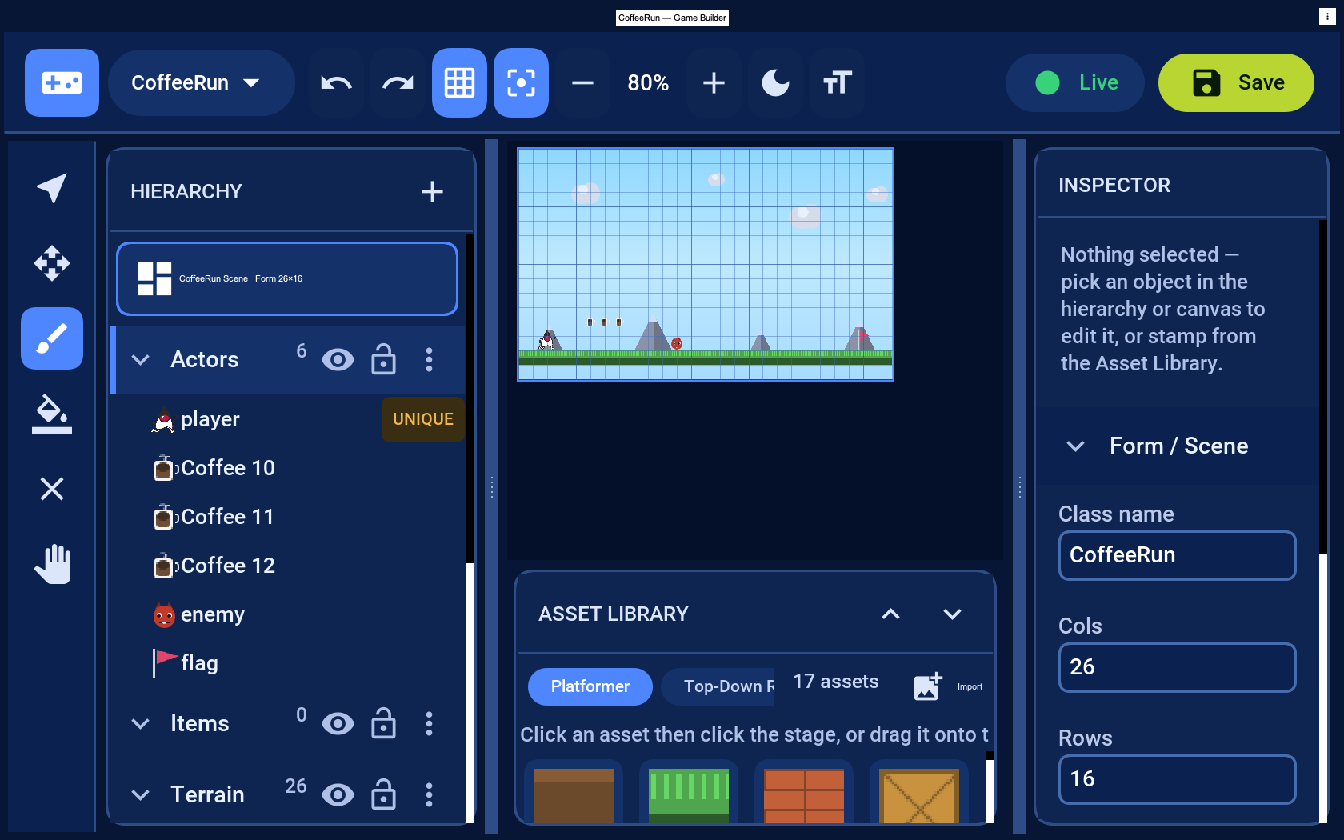
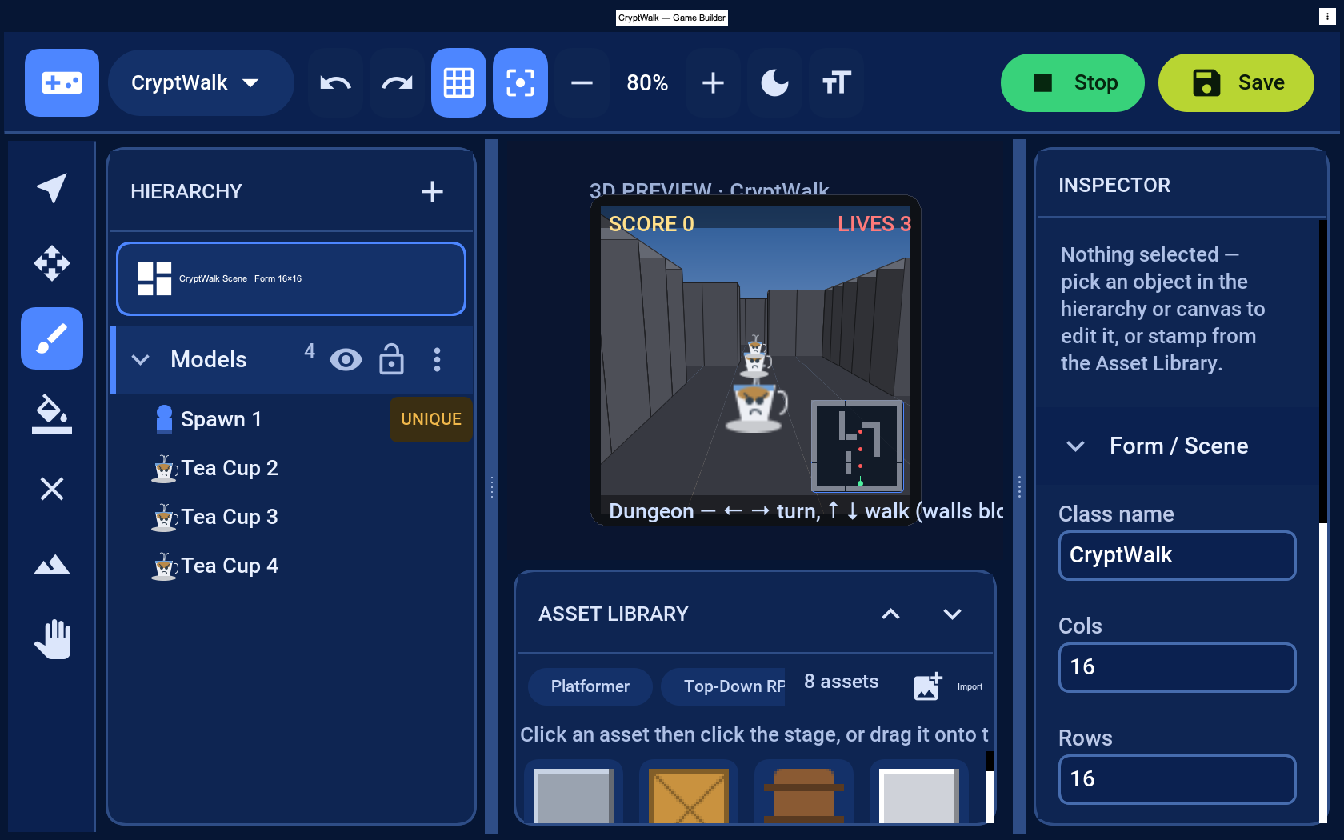
The editor is itself a Codename One app (Java 17) with three panels that matter: the Hierarchy of layers and objects, the Asset Library of art you stamp down, and the Inspector for the selected object’s transform and behavior values. Two Maven goals drive it:
mvn cn1:create-game-scene -DclassName=com.example.mygame.MyScene
mvn cn1:gamebuilder
create-game-scene writes an empty .game level and a companion Java class into your project; cn1:gamebuilder opens the editor on it. Both goals are gated to Java 17.
One editor, three kinds of game
The same editor and the same .game format author three modes, and the runtime realizes each one without your code changing shape:
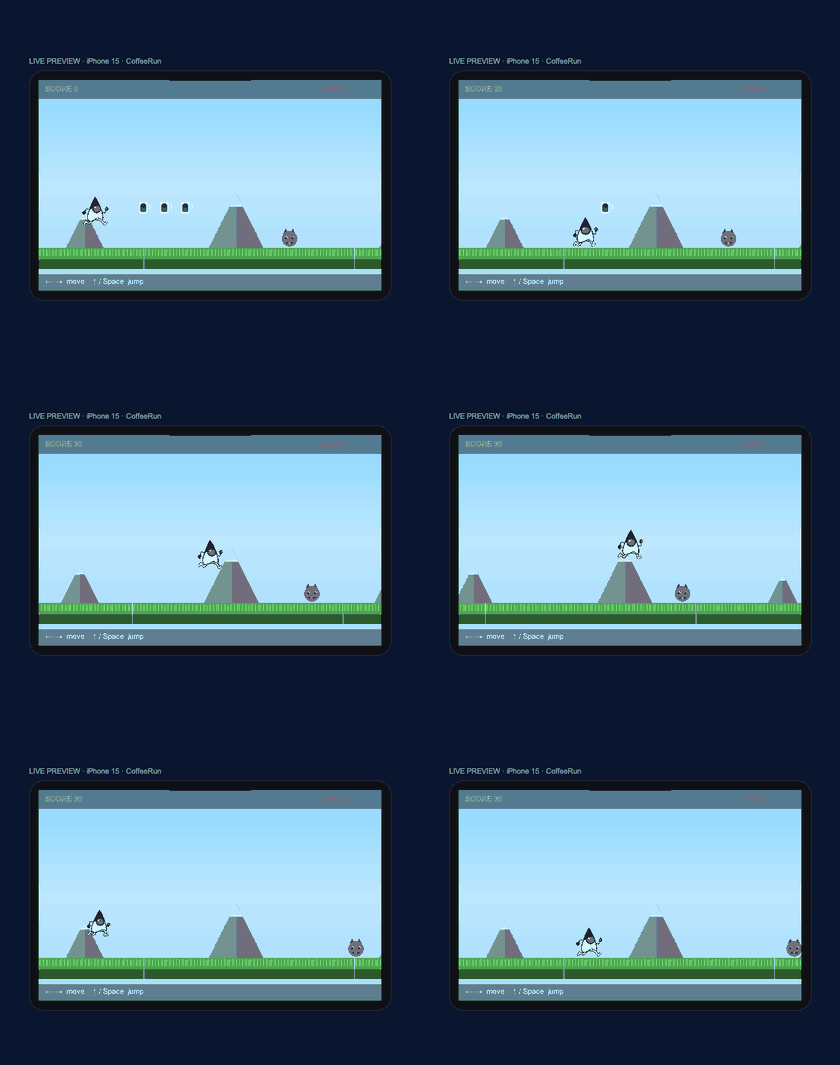
- 2D, for side-scrollers and top-down games. A tile grid, layers for draw order, and sprites.
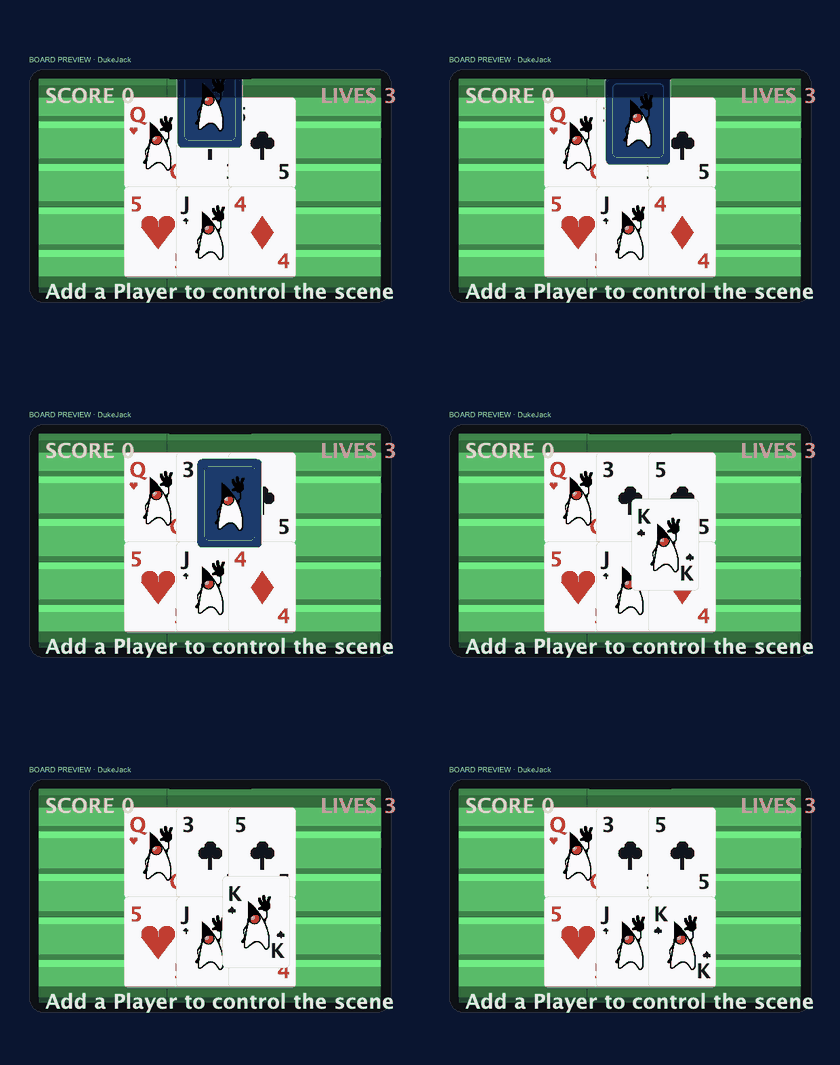
- Board, an isometric projection for card and tabletop games, where pieces are data-driven elements on a board.
- 3D, for first-person and overhead 3D, with terrain you sculpt and a per-game-type preview (open, flight, race, or dungeon) complete with a radar.
The three tutorials each build one of these, so the range is easiest to see as three finished games:
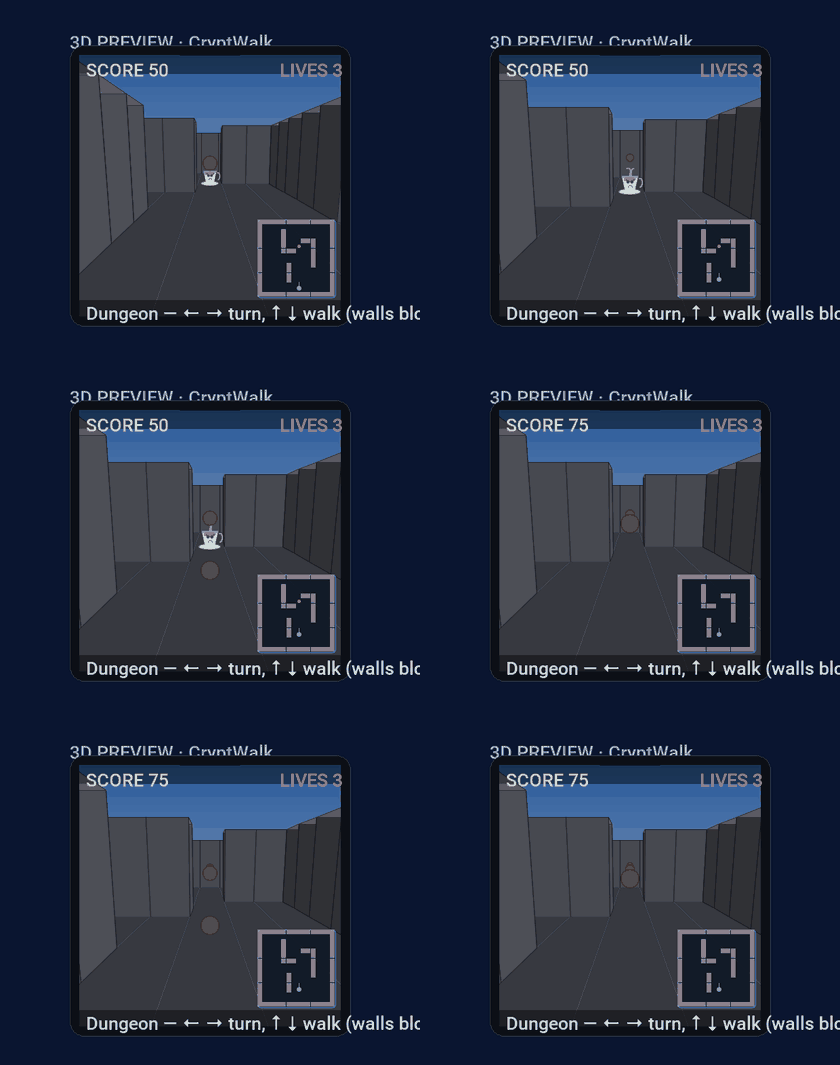
The 3D editor sculpts terrain directly: height, holes, walls, pluggable surface materials, and smooth interpolated slopes, all previewed in the form factor of the game you are making.
From .game file to running game
The data model lives in com.codename1.gaming.level: GameLevel, GameElement, Layer, TileLayer, AssetCatalog, and IsoProjection, with JSON load and save across all three modes. Your companion class loads the level and the editor regenerates the wiring for every object you named, so renaming or adding an object in the Inspector just updates your fields. The constructor and the update loop are yours:
public class MyScene extends GameSceneView {
    public MyScene(AssetCatalog catalog) {
        super(loadLevel(), catalog);   // realizes the level into a Scene of Sprites
        setArcadeBehavior(true);       // built-in run/jump/gravity/patrol/pickups (2D)
    }

    private static GameLevel loadLevel() throws java.io.IOException {
        return GameLevel.load(Display.getInstance()
                .getResourceAsStream(MyScene.class, "/MyScene.game"));
    }

    @Override
    protected void onUpdate(double deltaSeconds) {
        // your rules go here
    }
}
GameSceneView is a GameView, which is a regular Codename One Component, so you drop it into a Form and call start() to begin the loop. Because you edit onUpdate and not the generated block, re-running cn1:gamebuilder to tweak the level keeps your logic intact.
Large worlds that stream
Some games outgrow a single hand-drawn level. The Game Builder ships a streaming engine for large and open worlds, and the editor has a Large World mode that edits and previews the active region. The pieces are a pluggable Material and MaterialRegistry; a chunked StreamingTerrain with a ChunkProvider, LRU paging, and support for negative coordinates; variable-size TerrainFeature objects for walls, ramps, and platforms; and loadable Region and RegionProvider types stitched into a GameWorld that streams neighboring regions in seamlessly. A GameLevel can persist an optional GameWorld, so a streaming world saves and loads like any other level.
A note on beta
The Game Builder and the high-level gaming APIs are beta. They work, the tutorials are real games you can build start to finish, and they run on every platform. What is not yet settled is the shape: the editor’s interactions, the API surface, and the asset workflow are all things we expect to refine. That is exactly why we are shipping it now and writing about it: we want your reports. If the editor fights you, an API reads wrong, or an asset will not import the way you expect, file it on the issue tracker with the project or asset attached.
Where to go next
The three tutorials build a real game each, in increasing order of ambition:
- Thursday. A 2D platformer, Duke's Coffee Run. It covers the part most tutorials skip: bringing in real art and slicing an animated sprite sheet.
- The Thursday after. A blackjack card game, Duke Jack. Cards become data-driven elements on a felt table.
- The Thursday after that. A first-person 3D dungeon. Sculpt terrain and scale up to streaming worlds.
Start with Thursday’s platformer; it introduces every moving part you will reuse in the other two.
Discussion
Join the conversation via GitHub Discussions.